Running Pi from my phone
Posted on November 21, 2026
In my previous post, I covered how I’d built my coding workflow around Pi and its extension system. Just for a brief recap: Pi runs in my terminal, integrates with Neovim, and uses custom tools and subagents to work on my code. The appeal was being able to adapt the agent to how I work, rather than having to adapt my workflow to whatever an existing coding assistant happened to support. Since then, I’ve wanted to extend that same idea beyond the terminal itself.
The slightly awkward thing about getting an agent to work independently is that I still had to sit near my laptop to interact with it. I could give Pi a task and leave it to get on with things, but if it needed an answer, the conversation was still waiting in a terminal window on my desk. And sometimes I just wanted to see how it was getting on, or add something I’d forgotten in the original request, without opening the laptop and settling back into work.
So I’ve built Pi Remote, a phone-friendly web app that connects to the Pi sessions running on my Mac. It doesn’t replace my usual setup; it gives me another way into the same conversations. I can leave a task running, pick up my phone, and keep talking to the agent without moving my code or tools anywhere. When I’m back at the keyboard, I can carry on in the terminal where I left off. My laptop has apparently acquired a second job as a server 🙃
This is the fourth post in my series about my agentic coding setup:
- Local AI Coding Assistant in Neovim in 2026
- Local AI Coding Assistant in Neovim in 2026 v2
- Local AI Coding Assistant in Neovim in 2026 v3
- Running Pi from my phone
# The phone is just the interface
I didn’t want to recreate my development environment on a phone. My repositories are already on the Mac, along with the tools, configuration, and running sessions that Pi needs to do anything useful. Moving all of that somewhere else just so I could send a message from a smaller screen felt like solving the wrong problem. Instead, the phone talks to the agent that’s already there. When I send a message, the Pi session on my laptop receives it and continues working in its existing environment, with the context it already has.
The app is a progressive web app, or PWA, which means I can add it to my iPhone’s home screen and open it like an app without building and distributing a native iOS application. The phone isn’t running the coding agent, and it isn’t running the model either. Where inference happens still depends on how I’ve configured Pi: a local model can stay local, while a hosted provider still receives the model requests. Remote changes how I interact with the session, not which model it uses.
# Picking up the conversation
There are already open-source Pi projects for this. Pi Pocket offers a mobile-first web app built on Pi Durable, but its documented limitations include not supporting Pi’s own extensions. That matters when so much of my setup lives in those extensions. PI WEB takes a remote-first approach, managing Pi sessions in workspaces through its own runtime. My goal was to add phone access to the sessions I already run in my terminal and Neovim, rather than move session management into another application. That’s the distinction that shaped this setup.
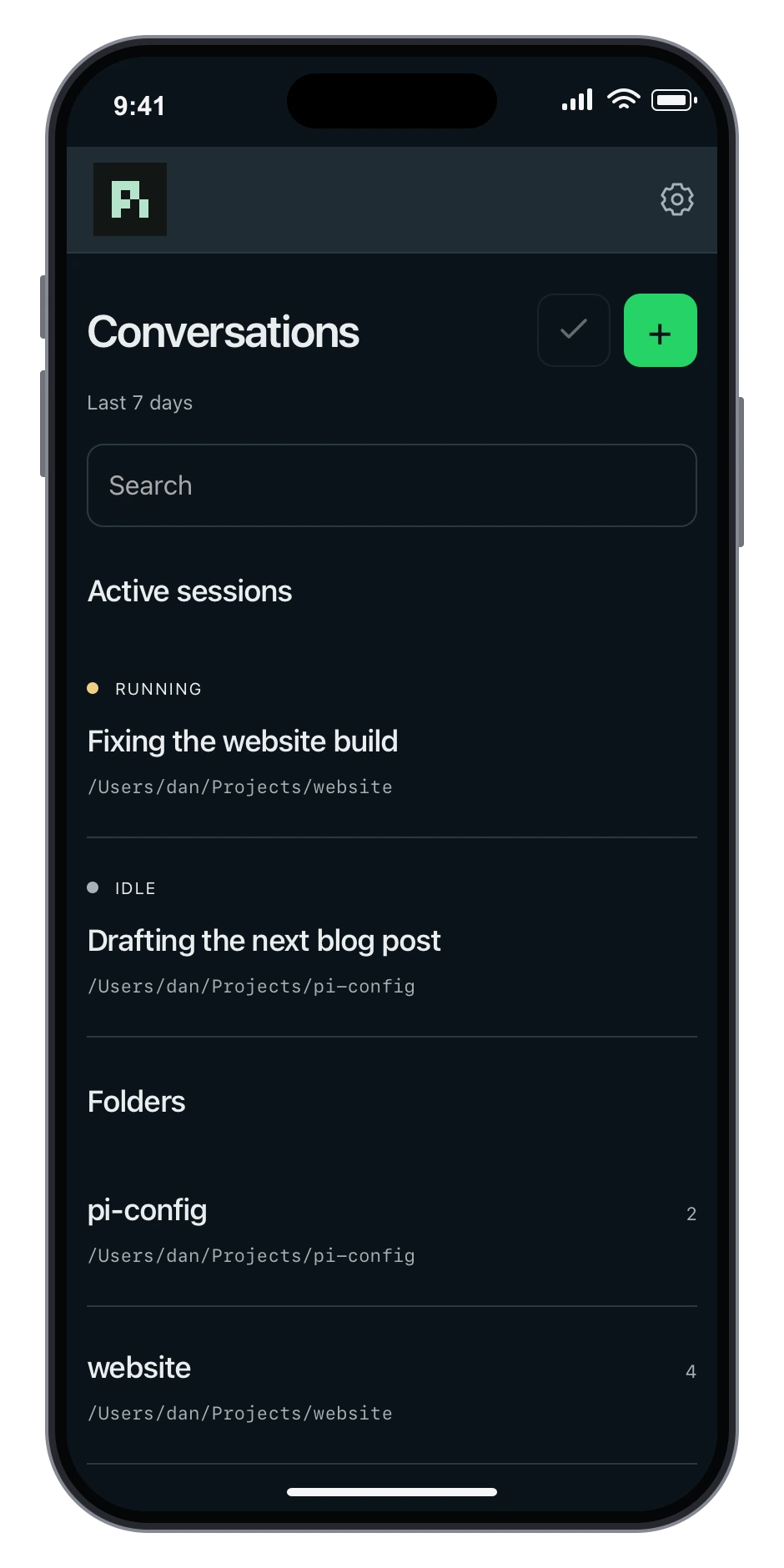
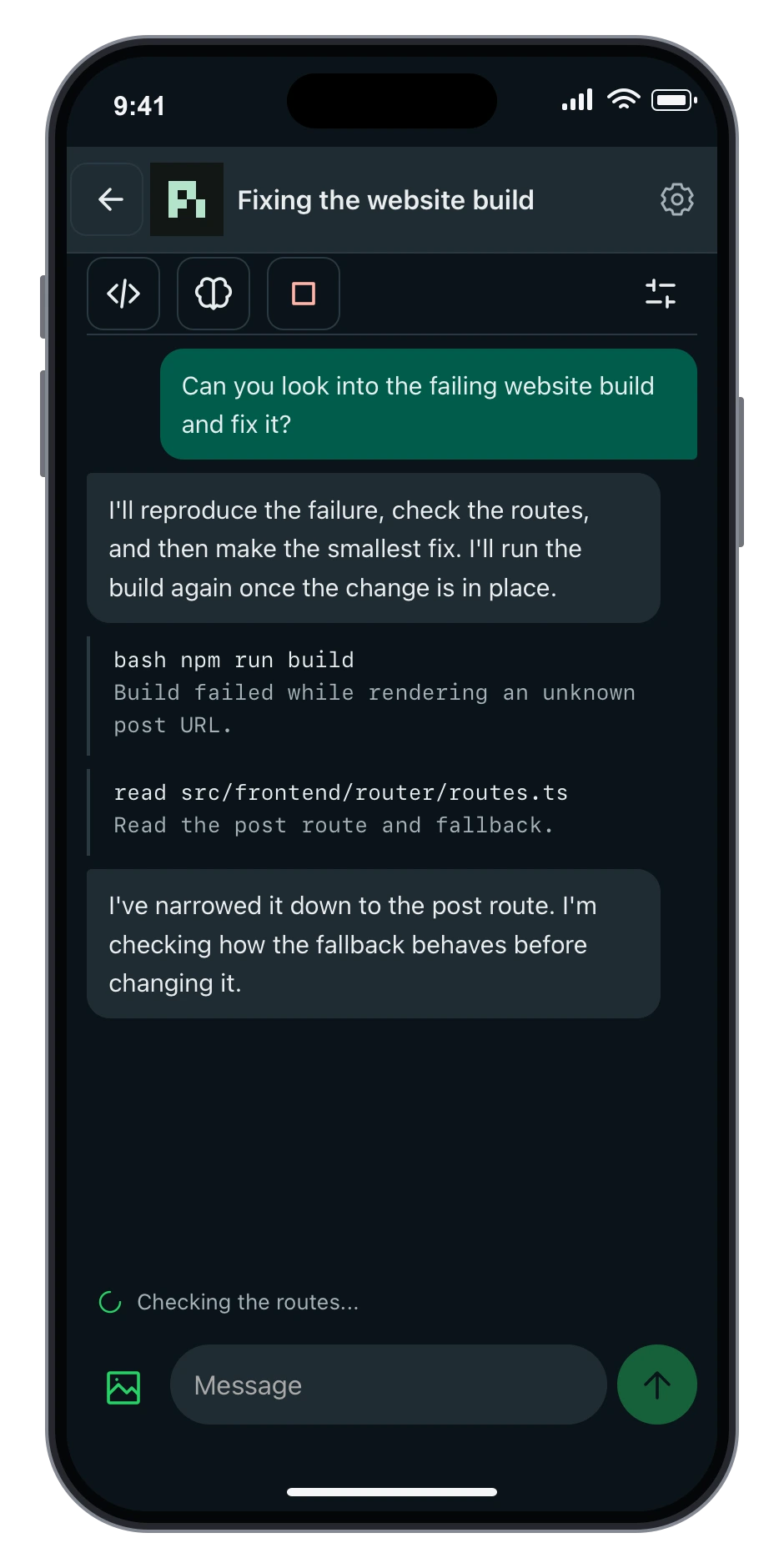
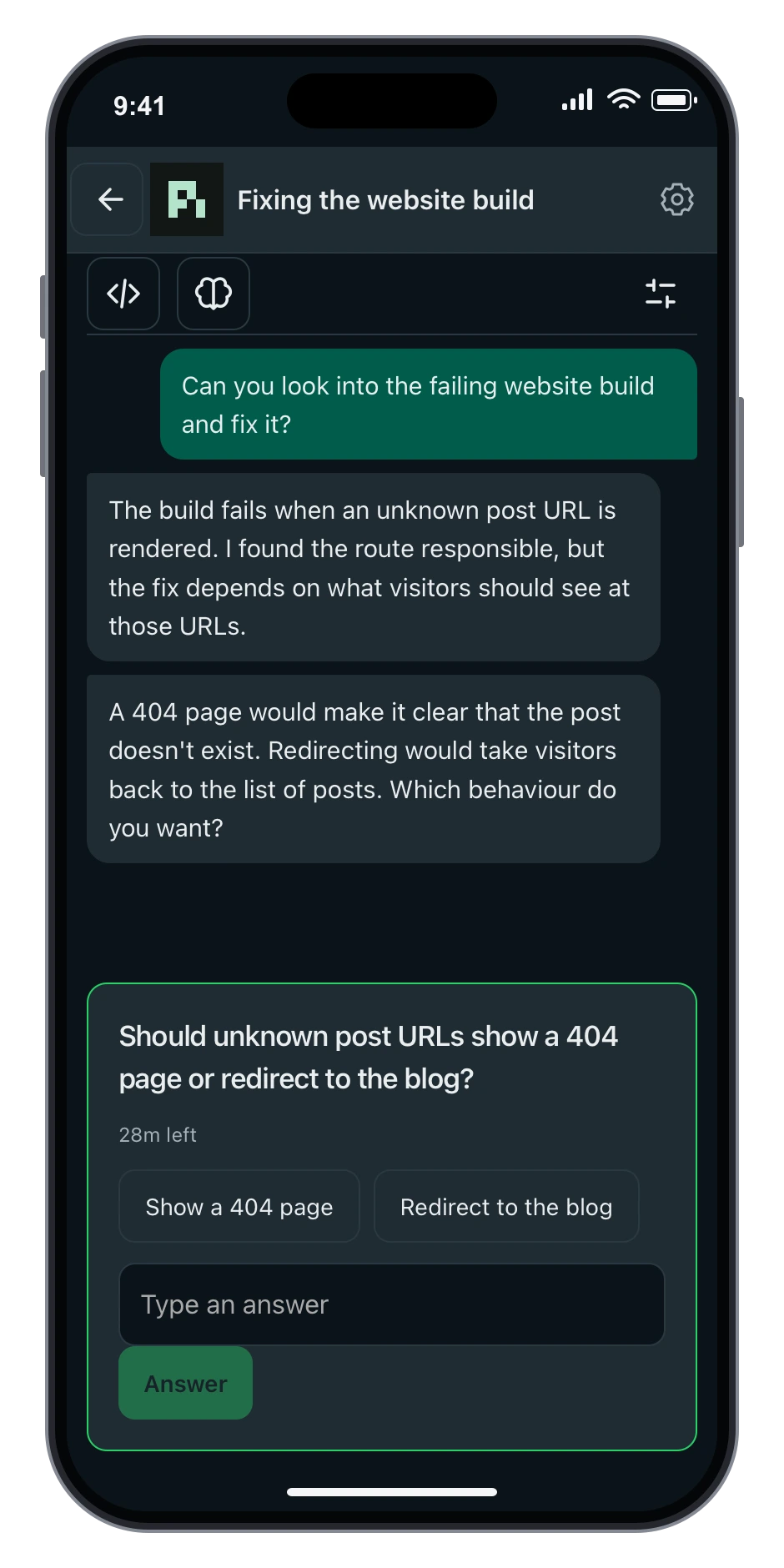
What I wanted on the phone was the conversation itself. I can open a session, read the responses, and follow the tool activity while Pi works. If I have another instruction, I can send it; if there’s something visual to explain, I can attach an image or screenshot. And when Pi asks me a question, I can answer it without going back to the laptop.
Say I ask Pi to investigate a failing build before leaving my desk. It gets through the initial investigation, but then finds that the fix depends on a decision about how a feature should behave. That’s a reasonable thing to ask me about, and I don’t want to disable questions altogether just because I’m away from the terminal. With Remote, I can read what it found and answer from my phone. If its response reminds me of another case it should check, I can add that too, rather than trying to remember it for when I’m back.
It’s still the same session, which is the useful bit. I’m not starting a second conversation and explaining what the first agent was doing, and there’s no separate copy of the repository to reconcile afterwards. I can stop a run if it starts going in the wrong direction, then return to my usual setup when I want to look properly at the changes. I’m not planning to review a thousand-line diff on my phone, but answering a question or asking for one more check is a much better fit.
# Getting from the phone to the Mac
Underneath the web app, there’s a small broker running on the Mac. The Remote extension connects Pi to that broker through a local Unix socket, and the broker provides the connection to the phone interface. This keeps the networking out of the individual Pi sessions: the extension passes session updates and interactions back and forth, rather than each terminal session opening its own network listener. From the phone, I can browse the sessions available through Remote and pick the conversation I want to continue.

For access away from the laptop, the broker sits behind private Tailscale Serve, using HTTPS. It listens on the Mac’s loopback interface, with Tailscale providing the path between my devices, rather than exposing the app as a public website. Once that’s configured, pi-remote pair on the Mac produces a QR code and a short-lived, single-use pairing link. Opening that on the phone pairs the browser with the broker, which issues a secure, HTTP-only cookie so it can recognise the paired browser on later visits.
Pairing matters because this isn’t just a way to read old chat messages; it’s access to an agent that can change files and run tools on my computer. Tailscale controls which devices can reach the app, while the pairing cookie identifies a browser I’ve allowed to use it. There’s no separate passkey prompt when I open the app: a paired browser reconnects using its cookie. If I need to remove that access, I can revoke the paired device from the Mac.
One practical detail if I want to close the lid: the Caffeinate extension from the previous post keeps active work going with lid-close protection configured. I sometimes put the laptop in a sleeve inside my bag while it’s still running, which is what prompted the temperature cutoff. At a battery temperature of 35 °C (not CPU or room temperature), the extension disables lid-close protection and explicitly requests macOS sleep if the lid is closed, retrying if the request fails. It won’t restore the keep-awake hold until I open the lid. Remote doesn’t wake a sleeping Mac, though. Once the Mac sleeps, I can’t send another task from my phone until it’s awake again.
# Still my laptop, just a little less tied to the desk
What I like about this setup is that I haven’t had to move my development environment anywhere. Neovim and the terminal are still where I do the work that needs a proper screen and keyboard, and the laptop still runs the agent and its tools. The phone just covers the small interactions that used to require opening the laptop again. That’s the part I wanted: not to do all my coding on a phone, but to avoid treating every follow-up message as a reason to return to my desk.
And that’s it! The Remote app, broker, and CLI are in my dotfiles repo, along with the Remote session extension. Like the rest of this setup, it’s grown out of something I wanted to change about how I work. In this case, my laptop was already doing the work; I just wanted to be able to leave it alone without losing the conversation.